
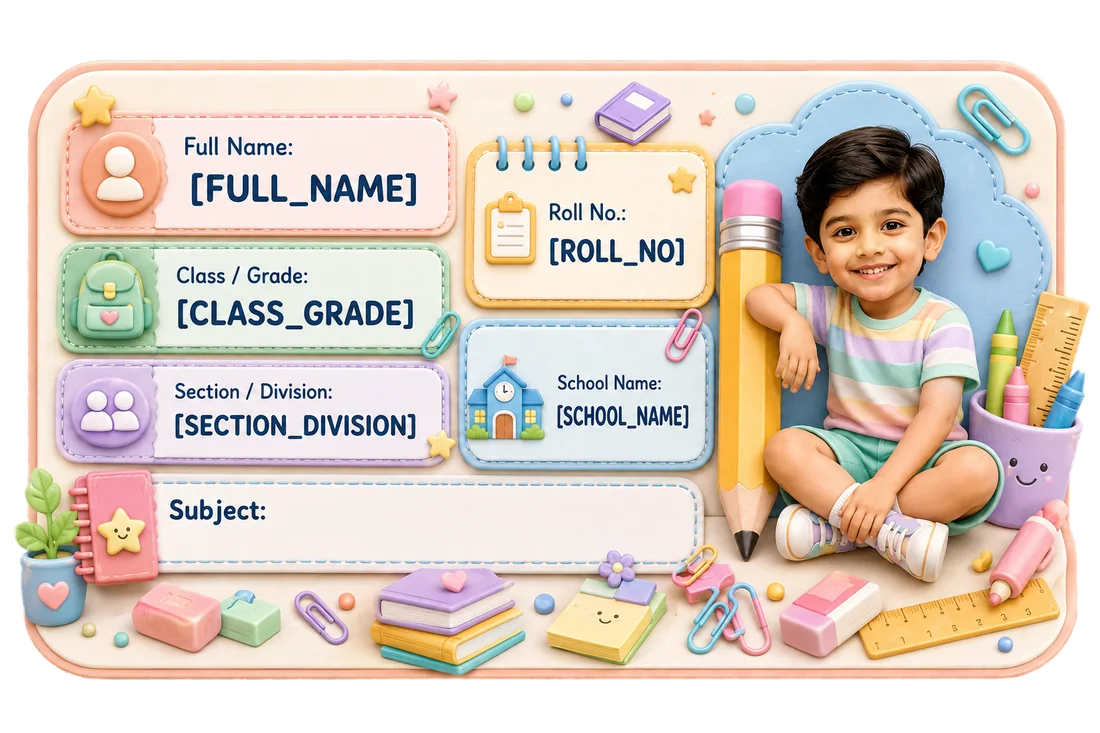
 Pastel School Supplies Name Slip
Real Dimple product example.
KEEP → UPDATE → RECHECK → REPLACE — a practical decision framework for school identification.
Pastel School Supplies Name SlipReal Dimple product example.
Illustrative guidance; check the current product preview.
A child’s name may stay the same from one school year to the next.
Their school details often do not.
A new academic year can bring a new:
That creates a simple but easy-to-miss problem:
Last year’s personalised Name Slips may still look perfectly usable even when some of the information printed on them is no longer correct.
So before reusing an old sheet or ordering a fresh set, do a quick audit.
Use four steps:
Keep → Update → Recheck → Replace
Keep details that are still correct.
Update details you know have changed.
Recheck anything the school has not yet confirmed.
Replace labels when too much of the printed information has become outdated.
The goal is not to throw away a label because one school year ended.
The goal is to make sure the label still does its basic job:
identify the right child with the right current information.
Use this checklist before reusing or reordering personalised school labels.
| Detail | Usually stays the same? | What to do before the new year |
|---|---|---|
| Child’s name | Usually yes | Check spelling only |
| Class / Grade | Usually changes | Update |
| Section / Division | Can change | Recheck with school |
| Roll number | Can change | Recheck; do not guess |
| Subject | Changes by book | Review item by item |
| School name | Often stable | Recheck if school/branch changed |
| Parent phone | Often stable | Confirm if displayed |
| Child photo | Parent choice | Decide whether to keep/update |
| Address | Usually unnecessary on ordinary school labels | Avoid adding unless there is a clear reason |
| Government ID | Not needed for ordinary school belongings | Do not add |
| Label size | Depends on item/details | Recheck fit and readability |
| Product type | Depends on item/exposure | Match the product to the use case |
The table is a practical starting point.
Your child’s school instructions come first.
Parents often think of personalised school labels as a “name” product.
But many labels contain more than a name.
For example:
ANANYA SHARMA CLASS 1 SECTION A ROLL NO. 11 BRIGHT STARS SCHOOL
Only one line may stay exactly the same next year.
If the child moves to Class 2, Section C and receives a new roll number, the old label still identifies the child—but it may route the item to the wrong class or create confusion.
That is why the right question is not:
“Do I still have labels left?”
It is:
“Is the information on those labels still current?”
Some information may remain perfectly usable.
For most families, this is the most stable field.
If the spelling is correct and the family still wants the same name format displayed, there is usually nothing to update.
If the child remains at the same school and the school name/branch shown is still correct, this may remain usable.
However, remember that displaying the school name is a privacy choice.
It should be included because it serves a purpose, not simply because space is available.
If you have chosen to display a parent/guardian contact number and it is still current, it may remain correct.
But this is also a good moment to ask whether you still want that phone number displayed on that item.
A photo does not become “wrong” simply because a year has passed.
You can keep it if:
Updating a photo is a preference, not an automatic annual requirement.
Some school details predictably change over time.
A child moving from Class 1 to Class 2 should not keep using a label that still says Class 1 if the class information is meant to help route the item.
That is one of the clearest reasons to update a personalised Name Slip.
New classes can bring new subjects or different notebook requirements.
A subject printed on one book may not belong on another.
If subject information is part of the label, review each book individually.
If the child changes school or campus/branch, an old school name may no longer be useful.
Do not continue using it simply to finish the old sheet.
Some details are not safe to assume.
A child may remain in the same section.
Or the school may reorganize sections for the new academic year.
Wait for confirmation.
Roll numbers can change.
Do not assume last year’s number remains valid.
And do not guess a new one simply to complete a personalised form.
If a label format includes information connected to a specific class/teacher/room, verify it before printing.
Check whether these fields are offered by the product you choose before planning to print them.
The broader rule is:
Do not permanently personalise information that has not been confirmed.
One outdated field does not automatically make a label useless.
But sometimes the old label has crossed the point where reuse is sensible.
Imagine an old label saying:
ANANYA SHARMA CLASS 1 SECTION A ROLL NO. 11 OLD SCHOOL NAME
while the child is now:
CLASS 2 SECTION C ROLL NO. 7 NEW SCHOOL
At that point, only the name is correct.
Using the old label would defeat the purpose of clear identification.
This is the moment to replace rather than reuse.
There is no universal percentage.
Use purpose.
Ask:
If a teacher or staff member found this book, would the printed information help return it correctly—or send them in the wrong direction?
If the label is more likely to confuse than help, replace it.
That is a better rule than:
“I still have ten labels left, so I should finish them.”
The answer depends on the item and the product/surface.
Check the removal and application guidance for the specific label and surface.
The safe decision is:
For paper books/notebooks, if an old label remains visible and conflicts with the new label, that can create confusion.
The final visible identification should be unambiguous.
Do not automatically throw them away.
Audit them first.
If the label contains only:
it may remain usable.
If it contains:
you need to decide whether those fields can be corrected or whether the label should be replaced.
Do not assume you can write over or alter a printed field unless the specific product makes that practical.
If several important school details are wrong, replace it.
This depends on how quickly you expect to use the labels.
If you are preparing the full year’s books right after the school confirms:
pre-personalizing those details may be convenient.
If you expect to keep a significant number of labels for future terms/years, printing highly variable fields may reduce their useful life.
This connects directly with the question:
What should be printed now, and what should stay flexible?
For books and notebooks, review:
If the book itself already has a subject or school-issued identification box, avoid duplicating information unnecessarily.
For placement guidance:
Project files may need more current school details because they can move between:
Check:
Make sure the identifying information is easy to read and does not cover official school instructions.
A new school year may be a good time to review identification on bottles and lunch boxes too.
But the decision here is not only about the printed details.
The product properties matter.
Dimple Name Slips and Dimple Stickers are separate product families.
Dimple’s Sticker family is confirmed as:
vinyl + waterproof
Do not transfer that claim to Name Slips.
And do not assume “waterproof” automatically means:
For the broader item-selection guide:
Read about which school items to label.
For help choosing Stickers for water exposure:
Read about what waterproof means for vinyl Name Stickers.
A bag is more publicly visible than a notebook.
The start of a new school year is a useful time to reconsider how much information is displayed externally.
Ask whether the bag really needs:
The answer depends on the family’s preferences and the item.
The key principle remains:
Enough information to identify. Enough information to return. No more than you need.
Read about what to put on a school Name Slip.
Do not reuse one child’s personalised labels for another child simply because:
A school label should clearly identify the actual child.
Dimple’s current Name Slip sheet is designed for one child/details/theme set.
Keep each child’s information separate.
This is especially important when siblings:
This is a full recheck.
Review:
Do not carry over old school information simply because the child’s name is still correct.
The new school may also have its own:
School instructions come first.
There is no single labeling routine that suits every child moving to a new grade.
Different schools and children have different routines.
Instead, reassess:
The new academic year is a good time to revisit the system, not merely copy last year’s choices.
Not automatically.
Ask:
If yes, it may still work.
Personalised products should still feel like theirs.
A new theme may make another photo work better.
Privacy preferences can change too.
A new photo is an option.
Not an obligation.
For the photo-vs-text decision:
Not necessarily.
A child may want:
The design itself does not become outdated merely because the school year changes.
What matters first is the information.
If the details remain current and the child still likes the design, a new school year alone does not require a new theme.
Use this before reordering.
Details that remain correct:
Details you know changed:
Details that may have changed:
Replace labels when:
Before ordering anything, place last year’s remaining labels next to the new school information.
Spelling and preferred format.
Update if changed.
Confirm rather than assume.
Wait if not yet assigned.
Same school/branch?
Keep or update.
Books? Files? Bottle? Bag? Pencil box?
Name Slip or Sticker?
Check every field before approval.
A child’s name can be correct while the class is not.
Confirm it.
Wait for the school.
Especially important after a school/branch change.
Only permanently personalize details that are confirmed.
Books, bottles, bags and uniforms have different needs.
A mistake repeated across a personalised sheet is harder to ignore than a single handwritten error.
The best timing is not a universal calendar date.
Order when you have enough confirmed information to personalise accurately.
Ideally, know the fields you plan to print, such as:
If an important variable detail has not yet been confirmed, consider waiting rather than guessing.
The goal is not “order as early as possible”.
The goal is:
order once the important information is reliable enough to print.
Do not invent it.
Use only confirmed information.
If the label/product setup allows you to omit a field, that may be preferable to printing an incorrect number.
If the field is required by the school, follow the school’s instructions once the number is assigned.
A complete-looking label is not more useful than an accurate one.
Possibly, if the identifying information is still useful and the label is appropriate for that item.
A label that is outdated for school routing might still be useful for:
if the incorrect school details are not misleading.
But if old class/section/roll number remain visible, consider whether that creates unnecessary confusion.
Use judgement.
Keep labels that still carry accurate information and suit the item. Reorder when the school details or product need have genuinely changed.
Check the current designs, product details and personalised preview before approving a replacement sheet.
Use this final checklist:
Only then approve.
A new school year does not automatically mean every old Name Label is useless.
But it does mean every personalised detail deserves a fresh look.
Use four steps:
Keep → Update → Recheck → Replace
Keep what is still correct.
Update what definitely changed.
Recheck class details you are not sure about.
Replace labels when the old information is more likely to confuse than help.
The most important rule is simple:
Do not print uncertainty.
If the section or roll number has not been confirmed, wait or leave it flexible where the product allows.
And do not reuse outdated labels just because they are left over.
The best Name Label is not the newest one.
It is the one that carries the right information for the child’s current school year.
Browse Dimple’s current Name Slip designs, confirm the school details you want to display and review the personalised preview before ordering.
Not automatically. Reuse old labels only if the important information is still correct and the product still fits the item. Replace them when class, section, roll number, school or other key details are outdated.
Only if it has been confirmed. Do not guess a roll number simply to complete the label.
It can change depending on the school. Recheck the current section rather than assuming last year’s section is still correct.
It depends on whether class information is important for that item. If the printed class could misdirect the item, the label should be updated or replaced.
No. Update it only if you want to, if the child prefers another photo, or if the current image no longer suits the product/design.
Audit every printed field. If the important details are still accurate, they may still be useful. If several school details are outdated, replacing them is clearer.
Order when the important details you plan to print are confirmed. If section or roll number is still uncertain, waiting can be better than permanently printing the wrong information.
Browse Dimple’s printed Name Slips for school details.
Browse Name SlipsThis guide is practical product guidance. Check the current product page and checkout for live availability, price and delivery information.