
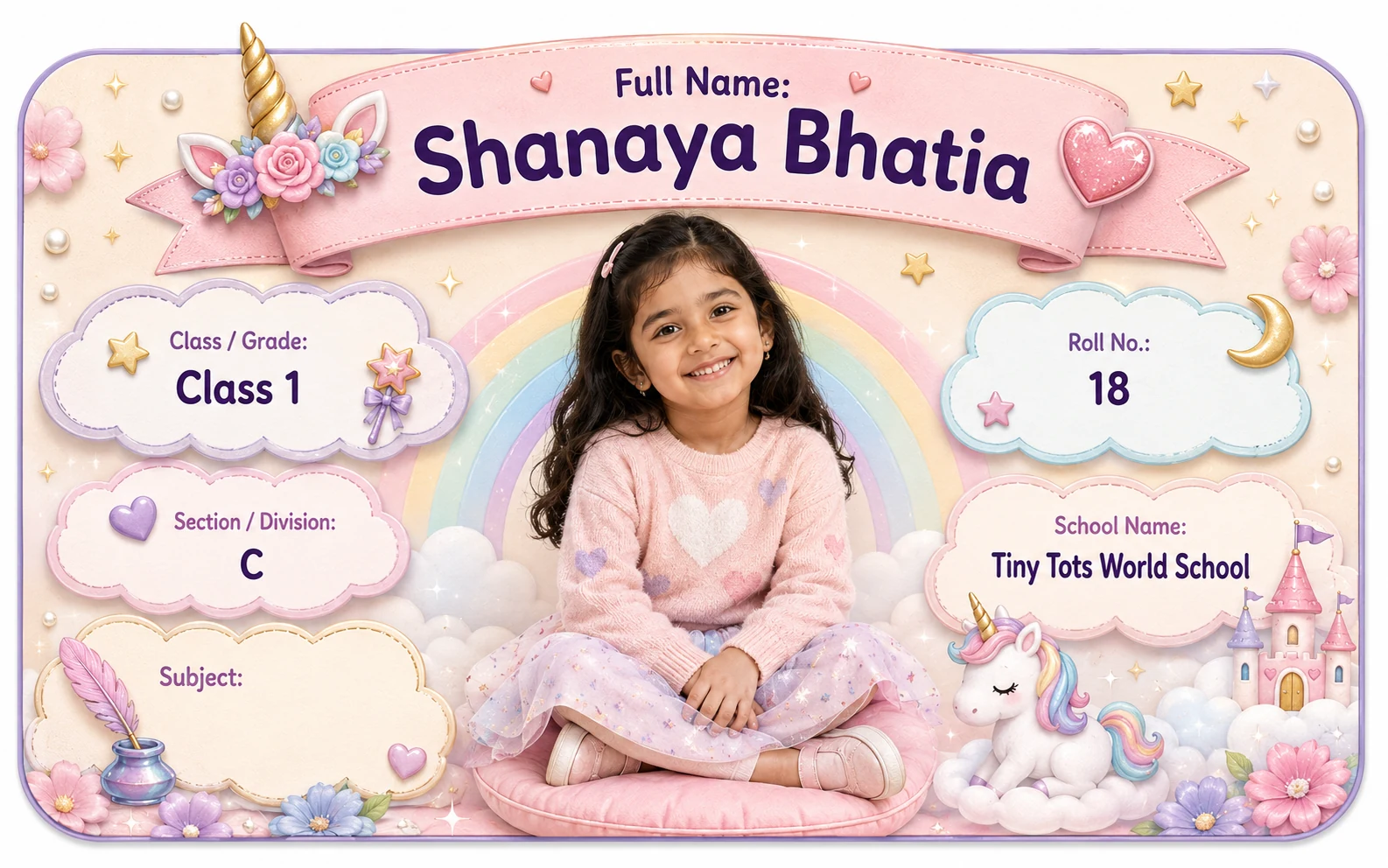
 Unicorn Rainbow Name Slip
Real Dimple product example.
CONVENIENCE → FLEXIBILITY → CONSISTENCY → REUSABILITY — a practical decision framework for school identification.
Unicorn Rainbow Name SlipReal Dimple product example.
Illustrative guidance; check the current product preview.
There are two very different ways to prepare school labels.
One is to decide the details before ordering and have them printed into the personalised design.
The other is to buy a label that leaves some fields blank so you can write them later.
And there is a third approach sitting in between:
a hybrid label, where a stable detail such as the child’s name is pre-printed while changing information such as class, section or subject is left writable.
So which format is better for school books?
The practical answer is:
Pre-personalized labels are better for convenience and consistency. Writable labels are better for flexibility. Hybrid labels try to balance both.
The right decision depends on one question:
Which details are stable, and which details might change before you use the label?
A child’s name may stay the same for years.
A class, section, roll number or subject may not.
That difference matters more than whether one format looks more “premium” than another.
A useful way to decide is:
Convenience → Flexibility → Consistency → Reusability
| Format | Main advantage | Main trade-off | Best question to ask |
|---|---|---|---|
| Pre-personalized | Details arrive ready to use | Changing details can make unused labels outdated | Are these details stable enough to print now? |
| Writable | Details can be added later | Requires handwriting each time | Do I need flexibility across books/subjects/terms? |
| Hybrid | Stable information is printed; changing fields stay writable | Requires deciding which fields belong in each group | Which details are permanent and which are variable? |
This is not a ranking.
It is a workflow decision.
A pre-personalized school label has one or more child details printed before the product reaches you.
Depending on the product, that might include:
The parent enters the required information before production.
That can make the final result look consistent and reduce the amount of handwriting needed later.
Dimple’s personalization flow lets parents enter child details, generate a personalised preview, review the result and approve it before adding the product to the cart.
Explore Dimple’s personalised Name Slips.
See how Dimple personalisation works.
Check the fields shown on your selected template and personalised preview before ordering; available fields depend on the actual product.
A writable Name Label leaves one or more fields blank so the parent, child or school can fill them in later.
Common writable fields can include:
The advantage is flexibility.
One pack can potentially be used across:
depending on how the product is designed.
The trade-off is that someone still needs to write the details.
The final appearance also depends on:
Do not assume that every printed label surface is equally writable.
That is a product-specific property.
A hybrid format prints the details that are unlikely to change and leaves variable fields blank.
For example:
Printed: ANANYA SHARMA
Write later: CLASS: ______ SECTION: ______ SUBJECT: ______
This is not a theoretical format.
Current school-label sellers use variations of it.
The reason is practical:
some information is stable,
while other information changes by subject, class or academic year.
A hybrid approach can therefore reduce repetitive handwriting without locking every field permanently.
This is a general labeling strategy. Check Dimple’s current Name Slip designs for the fields and options available in the actual product.
The strongest case for pre-personalized labels is convenience.
Imagine labeling:
If every label requires you to handwrite:
Name Class Section Roll No.
the work adds up.
A pre-personalized layout reduces that repetition.
It can be particularly useful when the same core identification information appears on many school items.
The main benefit is simple:
you make the decision once, then use the printed result repeatedly.
But convenience only helps when the printed information is correct.
That is why spelling, class, section and roll number should be reviewed carefully before approval.
Writable labels become more attractive when the information is not fixed.
For example:
One child may need:
English Mathematics Science Hindi Computer EVS
If “SUBJECT” is pre-printed with one value, that label is limited to that subject.
If the subject field is writable, the same label design may be used across several notebooks.
A section can change with a new academic year.
A roll number can change.
A child moves to a new class each academic year.
Most years this stays stable, but not always.
So before printing every field permanently, ask:
How long do I expect this information to remain correct?
Printed personalization creates visual consistency.
Every label can use the same:
That can make a group of school books look more organised.
It can also make the child’s key details easier to scan because they always appear in the same place.
Writable fields introduce more variation.
One notebook may say:
Maths
another:
MATHEMATICS
another:
Math
That is not necessarily a problem.
But if visual consistency matters to you, pre-personalization offers more control.
This is where pre-personalization has its biggest trade-off.
Suppose a parent orders a large batch containing:
ANANYA SHARMA CLASS 1 SECTION A ROLL NO. 11
and several labels remain unused at the end of the year.
Next year, the child may be:
CLASS 2 SECTION C ROLL NO. 7
The child’s name is still correct.
The rest is not.
That means unused labels may no longer be suitable.
A writable or hybrid format can preserve more flexibility across time.
The lesson is not:
“Never pre-print class or roll number.”
It is:
Print changing details only when the convenience is worth the shorter useful life.
Use this as a practical starting point.
| Detail | Usually stable? | Could change? | What to consider |
|---|---|---|---|
| Child’s name | Usually yes | Rarely | Strong candidate for pre-printing |
| Photo | Parent choice | Parent may want a newer photo later | Consider privacy and design |
| School name | Often stable | Yes | Print if useful and expected to stay current |
| Class | No | Usually each academic year | Can reduce reusability |
| Section | No | Can change | Check school allocation |
| Roll number | No | Can change | Verify before printing |
| Subject | No | Changes by notebook | Writable flexibility can be useful |
| Parent phone | Often stable but not guaranteed | Yes | Check privacy and current number |
This table is not a rule.
Different schools organise children differently.
A more fully pre-personalized format can be useful when:
The class, section and roll number have already been confirmed.
You are preparing books for the current term rather than storing labels for future years.
You want each book to have the same clean identification structure.
The same details appear across many items.
Any typo or outdated detail can otherwise be repeated across the whole sheet.
Writable fields can be useful when:
This is one of the clearest use cases.
For example, section or roll number may be assigned later.
Leaving variable fields blank can preserve flexibility.
A project file may need more detail than an everyday notebook.
Not every school belonging needs the same information.
A hybrid approach can make sense when you know:
the child’s name is stable
but:
subject, class, section or roll number may vary.
For example:
PRE-PRINTED: ANANYA SHARMA
WRITABLE: CLASS ______ SECTION ______ SUBJECT ______
The advantage is balance.
The parent avoids rewriting the child’s name repeatedly while keeping changing fields flexible.
Check the current product page and preview before choosing a format; the example above illustrates a general layout.
School books create a strong case for either approach depending on the school routine.
The object itself does not decide.
The information lifecycle decides.
Long names already use more layout space.
If a label also contains pre-printed:
the design can become crowded.
A writable field does not magically solve space—it still requires room to write.
But a simpler printed structure may leave the layout more flexible.
For long names:
A child photo is usually a pre-personalized element.
It adds:
If you also pre-print every school field, the design has to balance:
photo + name + class + section + roll no. + school + subject
That may work on a larger label.
It may become crowded on a smaller one.
If you are deciding whether the photo itself adds enough value, see:
Be cautious with fields that may not yet be final.
Examples:
If the school has not confirmed it, wait.
Do not guess.
One value may not work across all books.
Do not print last year’s details simply to use leftover labels.
Check both accuracy and whether you actually want it displayed.
The rule is:
Do not pre-personalize uncertainty.
Ask each field this question:
Will it stay the same?
Usually yes.
Strong candidate for pre-personalization.
Will it stay the same across the period I will use these labels?
Maybe for the current year.
Is it confirmed?
If not, leave flexible.
Is it confirmed and useful?
If not, do not lock it in.
Will every book use the same subject?
No.
Often better handled flexibly.
Does it add practical identification value?
If yes and stable, pre-printing may make sense.
Before choosing how much information to pre-personalize, use:
How much handwriting do you want to avoid?
Which fields might change?
Do you want every label to share the same printed layout?
Could unused labels become outdated before they are finished?
The best answer is the balance that fits your school routine.
Do not guess the section or roll number.
Different books often need different subjects.
Class/school context and product condition can still change.
A typo repeated across an entire sheet is not convenient.
More printed fields can reduce readability.
Wrong information can create more confusion than no label.
Pre-personalization should be checked before approval because the same mistake may be repeated across every printed piece.
A preview gives parents the chance to inspect the personalised result before approval.
That matters more with pre-personalized fields because mistakes are repeated across the printed sheet.
Before approving, check:
See how Dimple personalisation works.
The preview does not remove the need to choose the right information.
It gives you a chance to catch the wrong information before ordering.
Do not guess simply to complete every field.
A better decision may be to:
Use only confirmed school details, even if that means leaving an optional field blank.
Review the printed details before using them again.
Check:
If the information is outdated, the label may no longer serve its purpose.
For help checking which details are still current:
Pre-personalized and writable Name Labels solve different problems.
Choose pre-personalized when you want:
Choose writable when you want:
Consider a hybrid approach when some details are stable and others may change.
The simplest rule is:
Print what is stable. Keep flexibility where information can change.
Then review the final result before ordering.
The best school label is not the one with the most fields already filled.
It is the one that stays useful for the way your child actually uses it.
Browse Dimple’s current Name Slip designs and check the personalised preview before approval.
Not universally. Pre-personalized labels reduce handwriting and create consistency; writable labels keep changing details flexible. The best choice depends on which information is stable.
A child’s name is usually the most stable detail. Class, section, roll number and subject can change, so consider how long the labels will be used before permanently printing them.
Subject often varies from notebook to notebook, so write-later flexibility can be useful. If your product/order supports printing separate subject-specific labels, that is another possible workflow.
It can change depending on the school. Confirm the current roll number before printing it onto a large batch of labels.
A hybrid label pre-prints stable information such as the child’s name while leaving changing fields such as class or subject writable.
This guide compares general label-format strategies. Check Dimple’s current Name Slip options and the personalised preview to see which fields and formats are available.
Check every printed field before reusing them. If class, section, roll number or other important details are outdated, the label may no longer be appropriate.
Browse Dimple’s printed Name Slips for school details.
Browse Name SlipsThis guide is practical product guidance. Check the current product page and checkout for live availability, price and delivery information.